Guides
For the Ground State iPhone app, which is in a small private test and not in the App Store yet. Everything here is optional. Use what helps and ignore the rest.
Screenshots are real: they come from the app's own test build, filled with the app's made-up sample entries, never anyone's real ones. They were captured in a browser, so on an iPhone the fonts and a few controls look slightly different.
Checking in
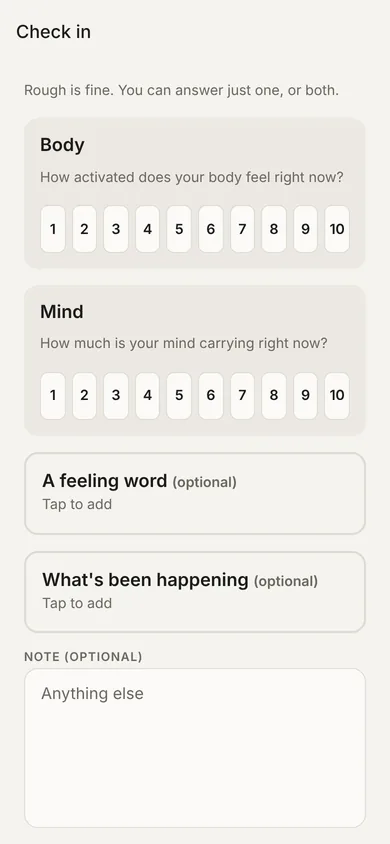
Ground → Check in. Rate how activated your body feels and how busy your mind feels, each from 1 to 10. Answer one, both, or neither. If you like, add feeling words (or "I don't have a word for it"), what's been happening, and a note.
One sensation is a whole check-in. You don't need a reason, a feeling word or a diagnosis, and "nothing noticed" counts too.
Body checks (the body map)
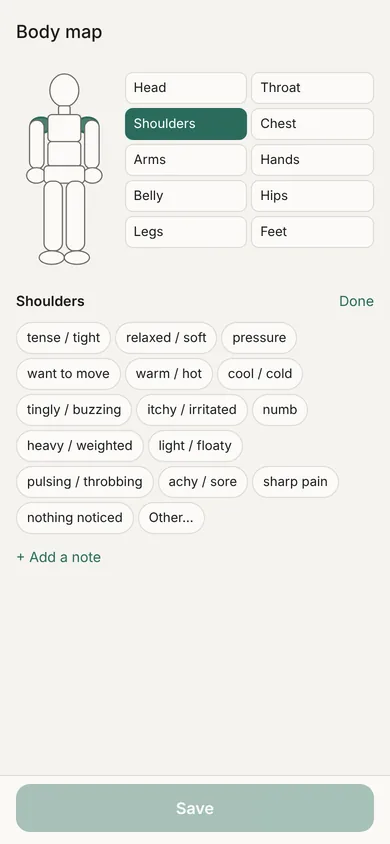
Ground → Body map. Tap an area (head and face, shoulders, chest, belly, hands and so on) and pick what it's like: tense, heavy, buzzy, warm, numb. The words change with the area. Add your own words if none fit, and a note if you want one. You can mark several areas before saving.
Sitting for a while
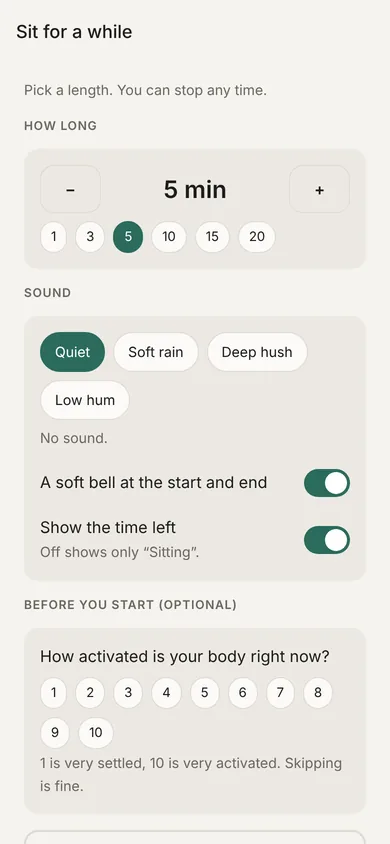
Ground → Sit for a while. Choose 1 to 20 minutes, an optional quiet sound and a soft bell. You can pause, dim the screen, or end early, and ending early still counts. Afterwards there are four short prompts to notice and tick off (two about your body, two about feelings), and a place to write.
Nudges
New in the private test app in version 0.3.0 (build 7). It's new and still being checked on real iPhones, so if something seems off, please say so.
You → Nudges. Optional, gentle prompts at random times, like "Take a moment if you want. What do you notice?" They're off until you turn them on, and your phone will ask whether Ground State may send notifications.
- Choose how many a day (1 to 4, two to start) and the hours they can arrive in (8 AM to 9 PM to start). Same-day nudges are at least 90 minutes apart.
- Tapping one opens a check-in or a body check. Close it any time. Nothing is saved unless you save it.
- Ignore one and it just goes away. Nothing piles up, nothing is counted, and nothing reads anything into it.
- They're scheduled up to two weeks ahead and topped up when you open the app. Turn them off any time, or in your phone's notification settings.
Backups
New in the private test app in version 0.3.0 (build 7). It's new and still being checked on real iPhones, so for now don't rely on an encrypted backup as your only copy, and if something seems off, please say so.
You → Backups.
Your private entries live on this device, not on our servers. We can't recover them for you if your phone is lost or replaced. You can save an encrypted backup somewhere safe and restore it on a new phone. Keep your backup and password safe.
- Your phone's own backup (iCloud or a computer) may include Ground State's entries, depending on your phone's settings. Ground State can't see or control what it keeps, so don't count on it alone.
- Export everything makes a readable file. It isn't encrypted, so it isn't a safe backup to leave lying around.
- An encrypted backup is a file only your password can open. Choose a password (at least 10 characters; a few unrelated words works well), and the app locks the file on your phone, then your share sheet lets you save it wherever you like. If the password is forgotten, nobody can open the backup, including us.
- Restoring: choose the file and enter the password. You'll see what's inside, then choose Add to what's here (keeps everything on the phone and adds what's missing) or Replace (asks you first). A wrong password or a damaged file changes nothing.
Noticing
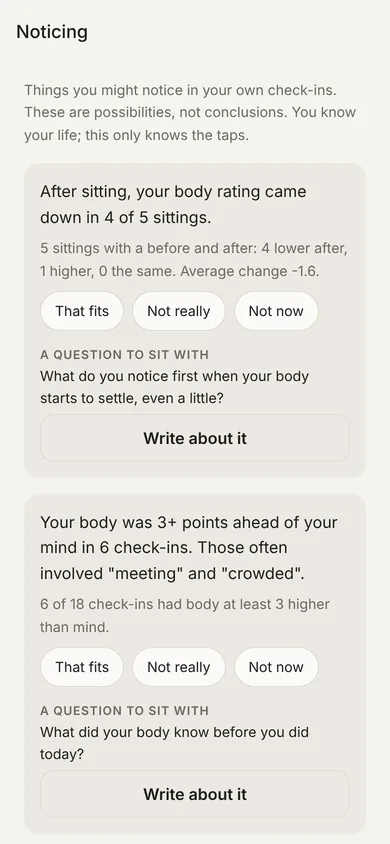
Noticing looks across your own check-ins and sittings for things you might want to notice. Your body running ahead of your mind after certain kinds of days is one example; whether sitting tends to settle you is another. It works on your phone and never scores you.
- It stays quiet until something has shown up at least three times, and it shows its working (how many entries, which averages).
- Each observation offers "That fits", "Not really" (it won't come back) and "Not now".
- It's on to start. Turn it off any time in You → Noticing, and your choice is remembered.
Journal
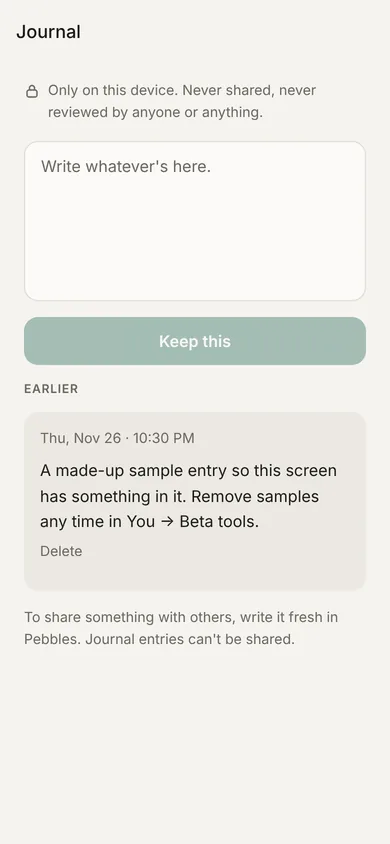
Ground → Journal. Private writing, with optional prompts. There's no share button on purpose. You can delete any entry for good.
Taking a copy (export)
- Everything: You → Your data → Export everything. This makes one file with all your entries and settings and opens your phone's share sheet, so you choose where it goes (for example, Save to Files). The file isn't encrypted, so keep it somewhere private.
- For a clinician: Ground → Share with a clinician. A readable summary where you choose what's included. The journal is left out unless you add it.
Deleting
- Ground: You → Your data → Delete all my data. This removes every entry, your settings and the private error log from the phone, and can't be undone. Deleting the app also removes it. Copies you exported, and your phone's own backups, aren't affected.
- Community account (planned, for when the community opens): You → Community account → Delete my community account. It will remove your community identity and everything you posted. Reports about posts will be kept for safety, without your name.
- The earlier web app: email kyle@ground-state.org to have your account and everything in it deleted.